Fjernsupport
Studerende
Log ind
Book møde

OrCAD X - your all-in-one platform for PCB design

OrCAD X is developed to accelerate your PCB design process all the way from schematic and PCB layout to simulation and a seamless transition to manufacturing. OrCAD X is fully scalable and flexible according to project size, timeline, and requirements.

Do you recognize these challenges?

Many engineers today spend up to one-third of their time on tasks that are not related to development. OrCAD X is designed to refocus attention to your core tasks.
Typical challenges
Last-minute changes and manufacturing errors lead to costly re-spins and delays.
It takes too long to qualify components and find usable alternatives.
Collaboration with mechanical (MCAD) and procurement often runs over email and Excel, which creates errors.
It is difficult to estimate time usage when you don’t know which problems will arise.
Fear that a new system is complex and requires lengthy training.
The solution with OrCAD X
Built-in analysis tools and Design-Rule-Checks catch errors while you work, so you get it right the first time.
Quick access to validated component data and libraries, along with integrated life-cycle insights directly in the tool.
Direct ECAD/MCAD collaboration and synergy with your ERP/PLM systems (e.g., SAP, Business Central, Highstage).
Use of design templates and automation makes workflows consistent and easier to plan.
OrCAD X builds on the well-known Cadence platform with entirely new intuitive features that make advanced functionality easy and fast to use.

Unify your workflow in a single platform

Gain full control of your PCB design – from the first idea to the finished product.

Schematic

Layout

Simulation

Build

Manage

The foundation of your project is laid here. OrCAD X ensures that your data is correct before you even think about the physical layout.

  • Constraint Manager
    Define your electrical requirements and rules once. They automatically follow the project, helping you avoid layout errors.
  • Unified Search
    Find and place quality-assured components with ready-made symbols and footprints directly from the cloud.
  • LiveBOM*
    Gain full transparency in your component list. See stock levels, prices, and technical alternatives in real time while designing. This minimizes the risk of project delays due to backorders.

* This functionality is included in OrCAD X Professional.
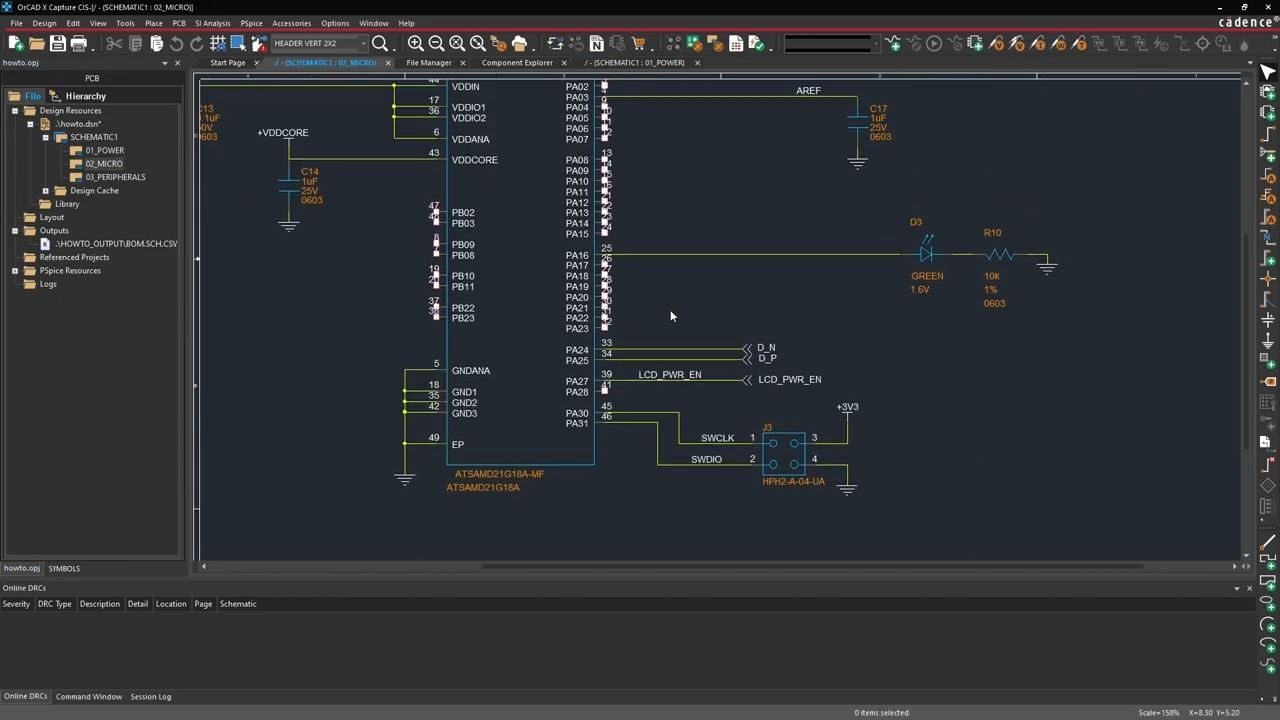
OrCAD X Capture

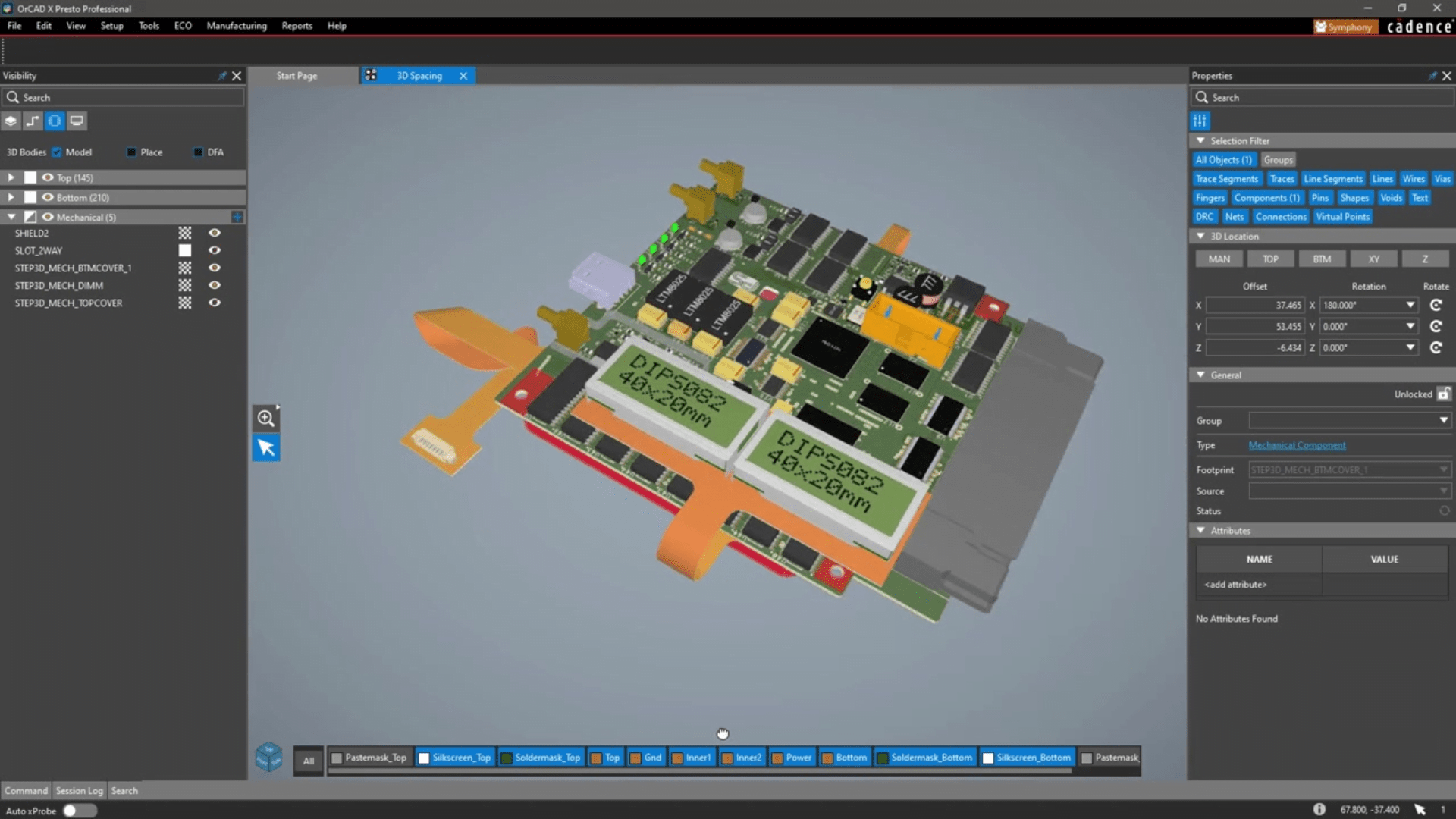
Go from schematic to physical board with maximum accuracy. OrCAD X provides a modern interface that makes complex work manageable.

  • 3D Design & Integration
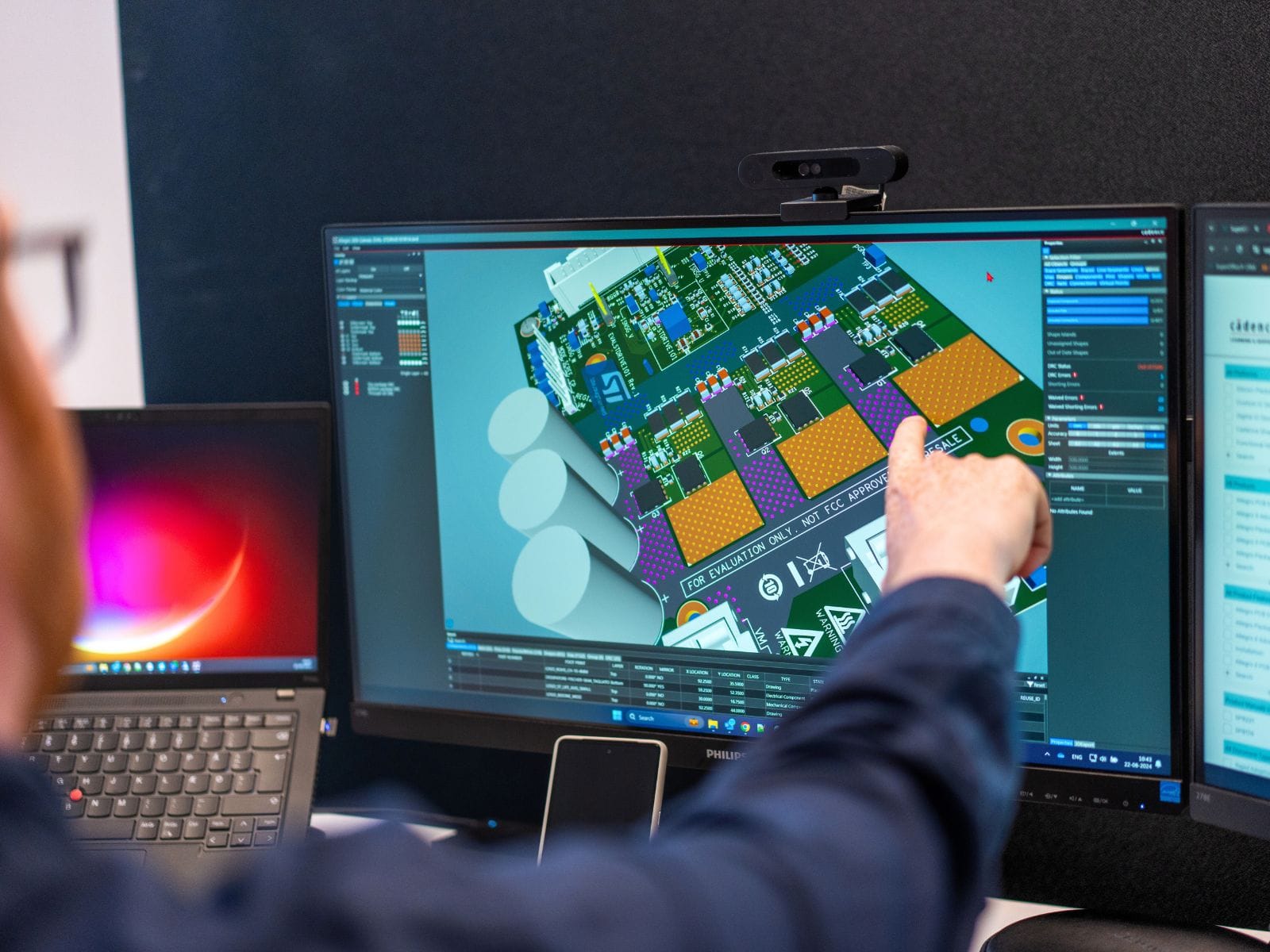
    Visualize your board in 3D and immediately check for mechanical conflicts so the board fits in the enclosure.
  • High-Speed Design*
    Advanced control of trace lengths, impedance, and differential pairs – essential for modern high-speed electronics.
  • Rigid-Flex & RF Design*
    Specialized tools for flexible boards and radio sections where traditional layout methods are insufficient.

* This functionality is included in OrCAD X Professional.
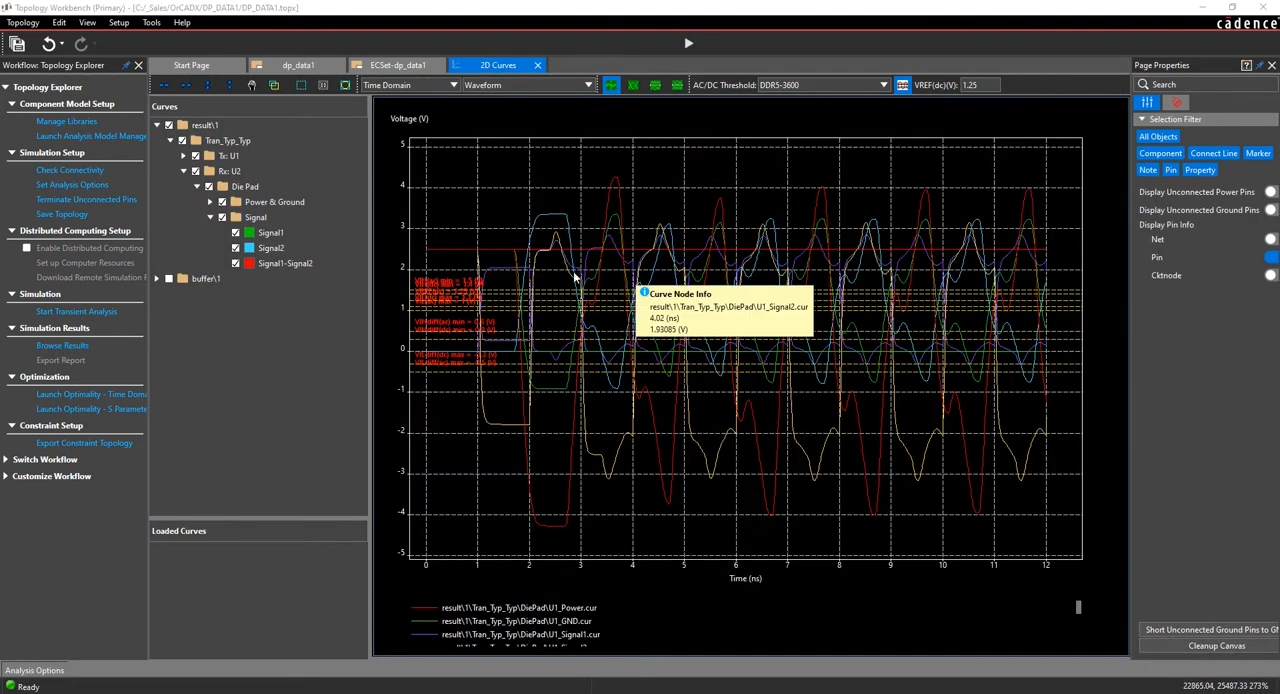
Use data to predict errors before they occur. Early design analysis minimizes the risk of costly corrections and failed prototypes.

  • PSpice Simulation
    Both versions include PSpice, but Pro provides full access to advanced analyses and greater circuit stability.
  • In-Design Analysis*
    Get immediate feedback on critical parameters. Check for voltage drops (IR drop) and thermal hotspots while placing your components.
  • Signal Integrity*
    Identify potential signal errors and noise issues early to avoid unexpected behavior in physical prototypes.

* This functionality is included in OrCAD X Professional.
Ensure your design can be manufactured flawlessly. OrCAD X automates the heavy documentation process and checks your rules.

  • LiveDOC
    Save hours on documentation. LiveDOC generates automated drawings that update themselves when you make design changes.
  • Manufacturing Output
    Generate all required production files (Gerber, ODB++, IPC-2581) quickly and accurately.
  • DesignTrue DFM*
    Avoid factory rejections. The tool checks over 3,000 production rules (Design For Manufacturing) in real time while you design.

* This functionality is included in OrCAD X Professional.
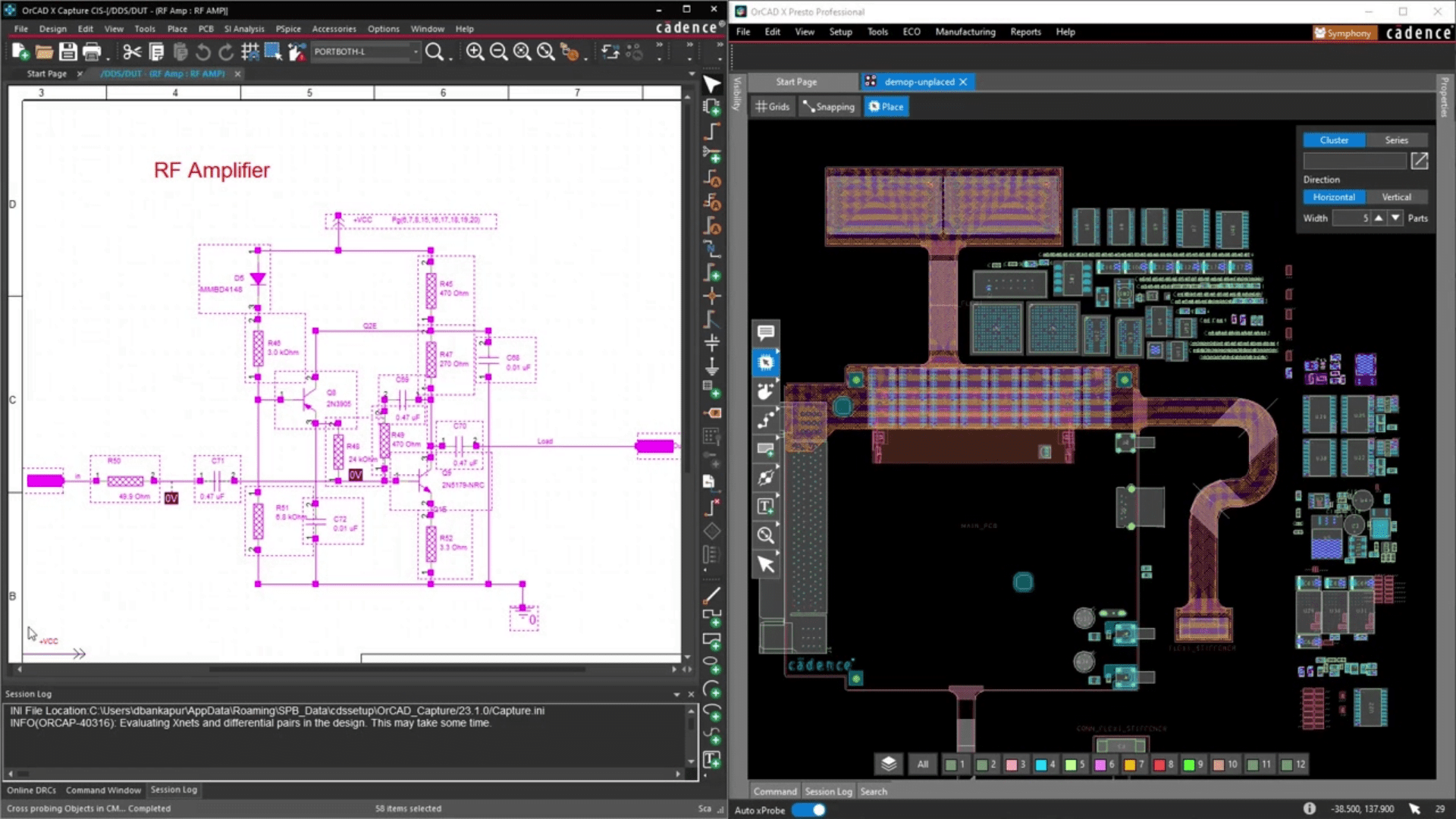
Tie everything together and optimize collaboration. OrCAD X eliminates the need for manual lists and insecure email communication.
  • Workspace & Cloud Data
    Store your projects securely in the cloud with version control, so you always know which file is the latest.
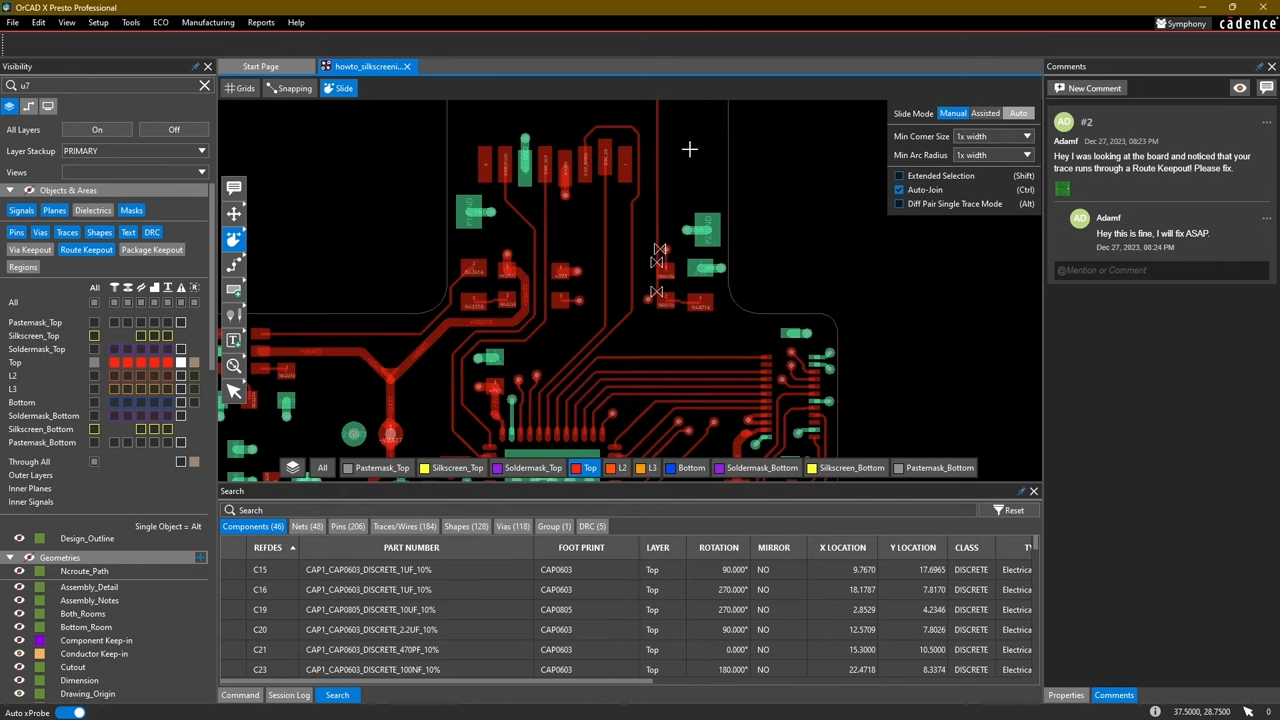
  • Review & Markup
    Allow colleagues to comment directly in the design via a browser – no CAD knowledge required.
  • ECAD/MCAD Co-design
    Direct two-way integration with mechanical software (e.g., SOLIDWORKS), keeping electronics and mechanics fully synchronized.

Choose the right configuration for your needs

OrCAD X comes in two primary versions. The difference lies in project complexity and the need for advanced analyses.
OrCAD X
Standard
A complete platform for PCB design

Suitable for:
Individuals or small teams who need a solid, proven tool.
Designers who need a complete solution for the entire design process.
Get a quote on OrCAD X Standard
OrCAD X
Professional
For larger or more complex projects where advanced functionality and integration are essential.
Suitable for:
Teams looking to save time with circuit reuse and automation.
Designers who need real-time feedback (DFM), shared libraries, or work with Flex boards and High-Speed designs.
Get a quote on OrCAD X Professional
PCB design

Purchase or lease your OrCAD X license

Customize licenses according to your needs so you only pay for what you use. We make it easy to adjust your license continuously, ensuring it always matches project size, timeline, technical requirements, and usage frequency.

We offer full flexibility in your licensing period:

• Weekly lease: Perfect for short, intensive projects.
• Monthly or quarterly lease: Suitable for project hires or peak workloads.
• Semi-annual or annual lease: The most stable solution for fixed development teams.
• Purchase an OrCAD X license to always have it available.

Get a tailored solution

Support from experts you can rely on

All Nordcad OrCAD X customers have access to our local ECAD hotline. Here, you speak with a technical specialist who understands your challenges and can guide you quickly.

Nordcad support is invaluable

“It ensures fast assistance, eliminating the time-consuming process of seeking help through conventional channels.”


Sebastian Tengvall
Applications Engineer, Lotus Microsystems

See OrCAD X in action

Frequently asked questions

If you don’t find answers here, you are always welcome to contact us.

How long does setup and onboarding take?

You can easily get started on your own, and if you need help, we recommend using our installation guides. You will have access with a valid license. Remember that our premium support team is always available for further assistance.

Do I need technical knowledge to implement OrCAD X?

Installation is simple, fast, and ready to use. If you need help, Nordcad’s support and product specialists are ready to assist with setup.

How is compatibility in OrCAD X (with integrations and other CAD tools)?

With multiple built-in content providers such as Ultralibrarian, Samacsys, and SnapMagic/SnapEDA, it is easy to use components including schematic symbols, footprints, 3D models, etc., directly in your design or library.

Integrated Solidworks via the new free MCADX software makes it easier for ECAD and MCAD teams to co-design.

What makes OrCAD X different?

OrCAD X includes the latest features with cloud functionality, such as a component database with parametric data, library management, design data handling, version history, integration with component suppliers, Live BOM, controlled collaboration internally and externally, and a completely new intuitive PCB editor interface.

How scalable is OrCAD X for growing companies?

Whether you are a small or large company, you can always scale your license to meet your growing business needs. For example, with OrCAD X you can scale to Allegro X and/or collaborate with the full Cadence Allegro X solutions used by most professional consulting firms.

Can I import/export data from OrCAD X to other systems?

Yes, you have several options to export to other systems. MCADX integration with Solidworks is one example. You can also export DXF, IDF, IDX, etc.


Copyright © 2026 Nordcad Systems A/S
cogcrossarrow-right